Lighting surveys
The report writes itself the moment you finish the survey.
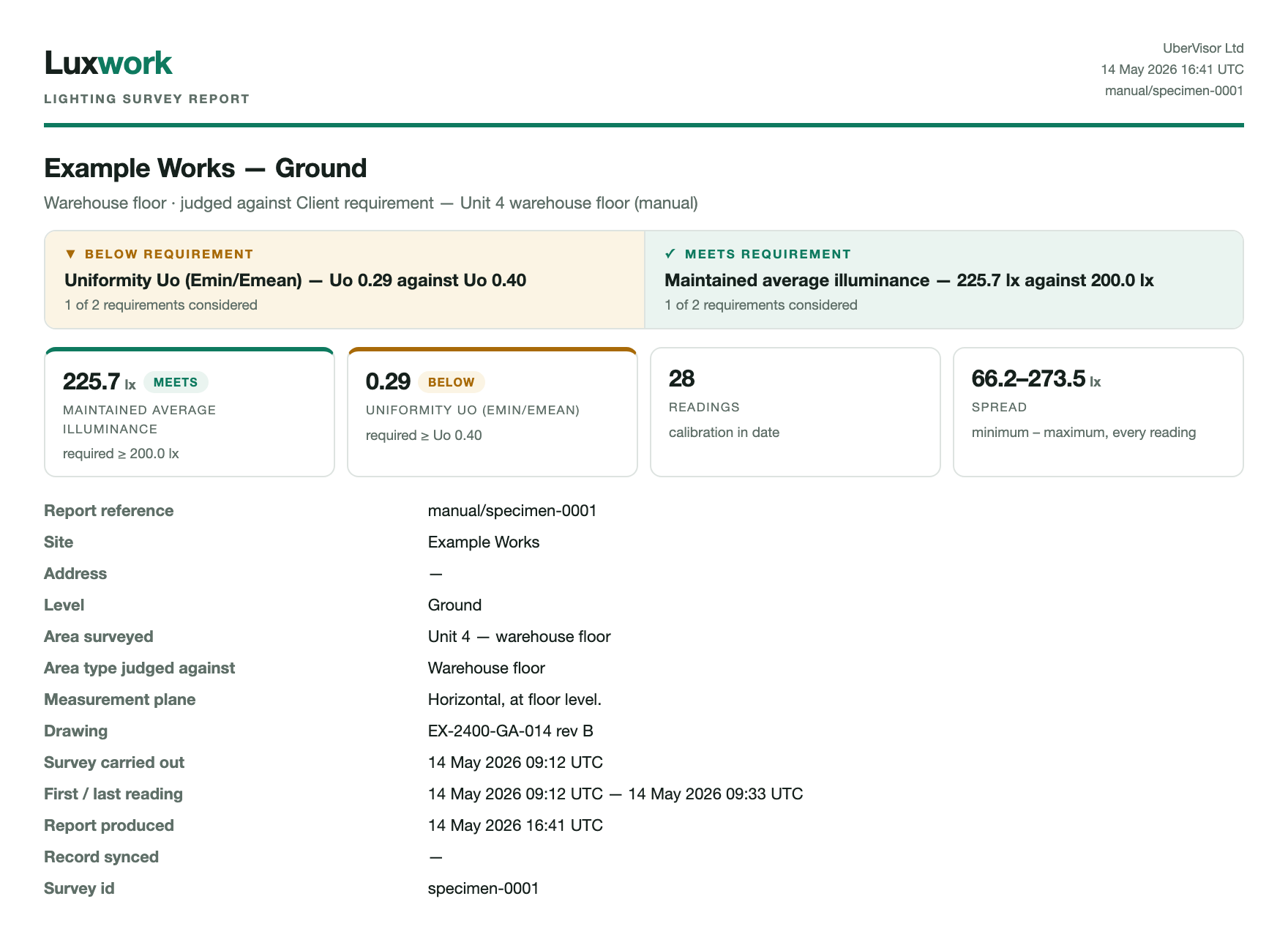
A UK lighting survey is roughly a shift to capture and a shift to write up. Luxwork records the readings from your calibrated meter onto the plan as you walk, judges them against the rule set you chose before you started, and hands back the second shift.
Specimen — invented data, not a real survey
What it does
Three steps, and the third one is the point.
1 · Capture
Readings, tied to the instrument
Take readings live over Bluetooth from a supported meter, import the file a meter has already logged, or type them in from any calibrated instrument. Every reading carries the meter it came from and that meter's calibration record.
2 · Judge
Against the rule set you choose
You pick the rule set at the start — the guidance your client's specification points at, or your own stated requirement, or none at all if you are only recording levels. The measurement pattern, the plane, the preconditions and the criteria come with it.
3 · Report
A record someone can check
Finish the survey and the report already exists: every reading traced to an instrument, the measurement plane stated, the walk recorded, and the whole thing signed so a reader can tell it has not been altered since.
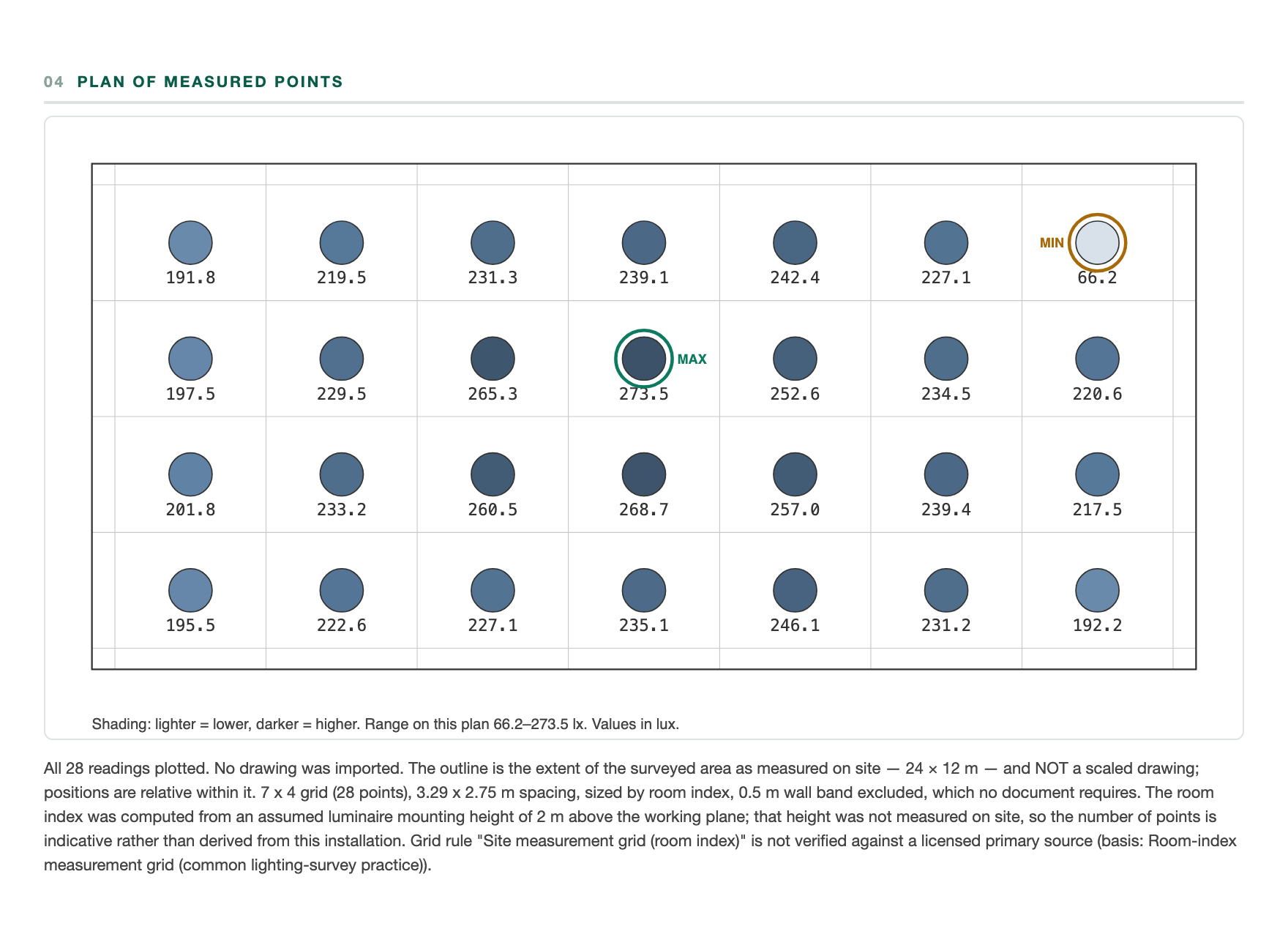
Every reading lands where you took it
The plan is the part a reader checks first.
Luxwork lays the measurement pattern over the area before you start, and each reading is plotted at the point it was taken. The plot shades by level, so a dark corner is visible at a glance — and it states the range it is shaded against, because shading is a comparison and not a verdict. Where the geometry rests on an assumption, the plan says so underneath itself.
Specimen — invented data, not a real survey
What it will not do — and why that is the point
A survey is handed to someone who may disagree with it. Luxwork is built for that reader, which means it declines to say things it cannot support:
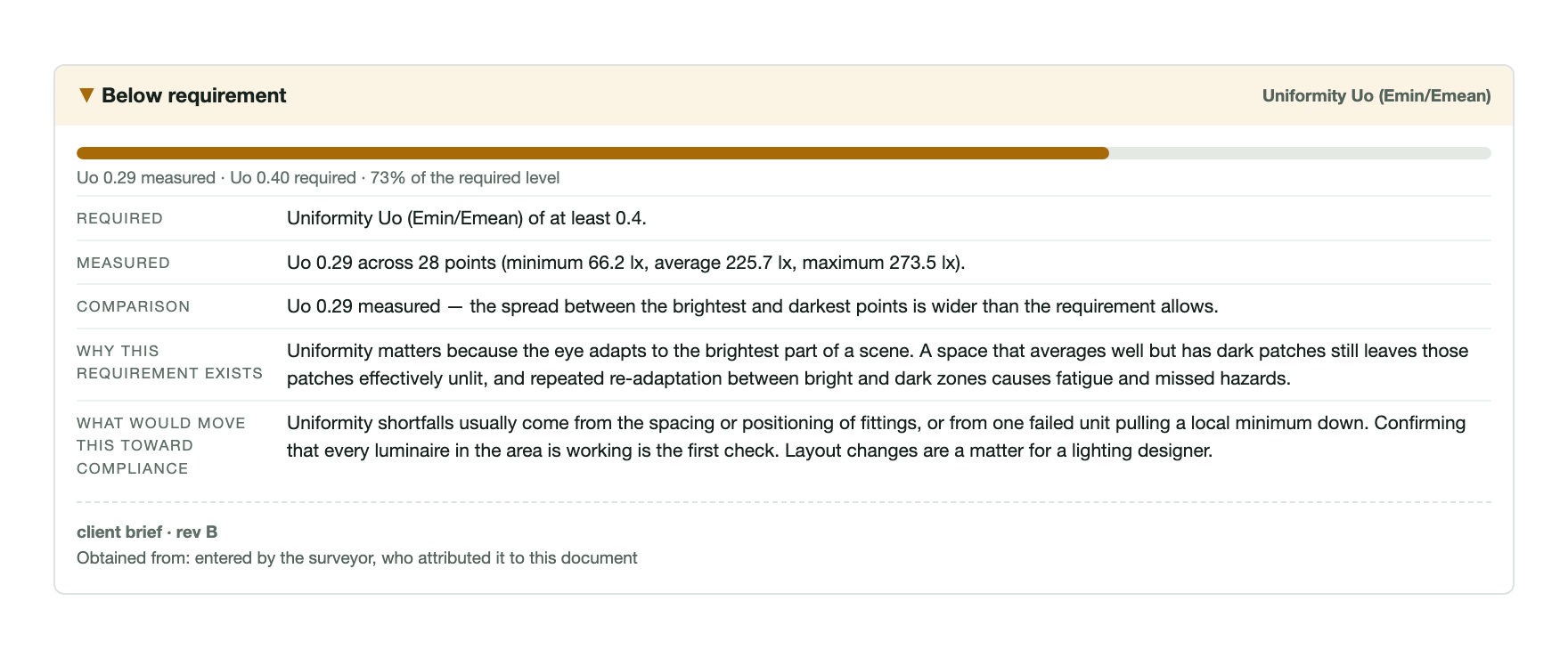
- It does not stamp pass or fail. It reports what was considered, against what, and leaves the judgement where it belongs.
- It says when something was not assessed. A gap in the readings is printed, not quietly averaged away.
- It prints its own doubts. If a precondition was not met, or a meter's calibration had lapsed, or a compensation setting did not match the light source on site, that goes on the record rather than into a warning nobody sees.
- It does not measure the light itself. The readings come from your calibrated meter. A phone's ambient sensor is not a calibrated instrument, and Luxwork will not pretend otherwise.
Specimen — invented data, not a real survey
Luxwork does not certify anything, does not accredit anyone, and cannot make a survey correct. It records what was measured, with what, under what conditions, and against which stated requirement — so that a competent reader can check the work. The competence stays with the surveyor.
Your surveys stay on your phone
A lighting survey is client work: site names, drawing numbers, area references, sometimes more than that. So Luxwork holds surveys on the device. There is no account to create, no cloud sync, and nothing is uploaded for us to look at. What leaves the phone leaves because you exported it.
The full detail — including what crash reporting does and does not send — is in the privacy notice.
Availability and contact
Luxwork is being prepared for its first public release. If you survey lighting for a living, or you supply meters to people who do, we would like to hear what you need it to produce.
One address for support, questions and instrument enquiries — see the support page for what to include.